
 +86 18126095160
 bella@noparde.com



2026-04-24 227
If you want your logo projector light to deliver crisp, perfectly sized images for your space, understanding how different lenses work is key. The lens you choose directly controls the relationship between projection distance and the size of your final image. Let’s break down the details from the comparison chart to help you make the best choice.
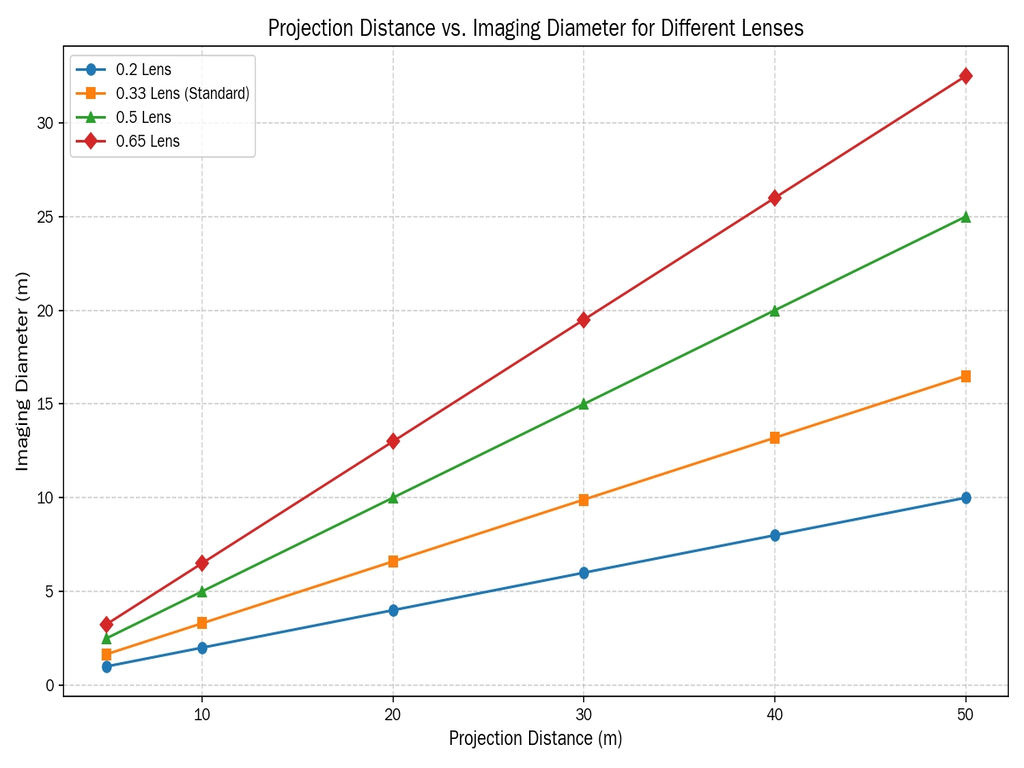
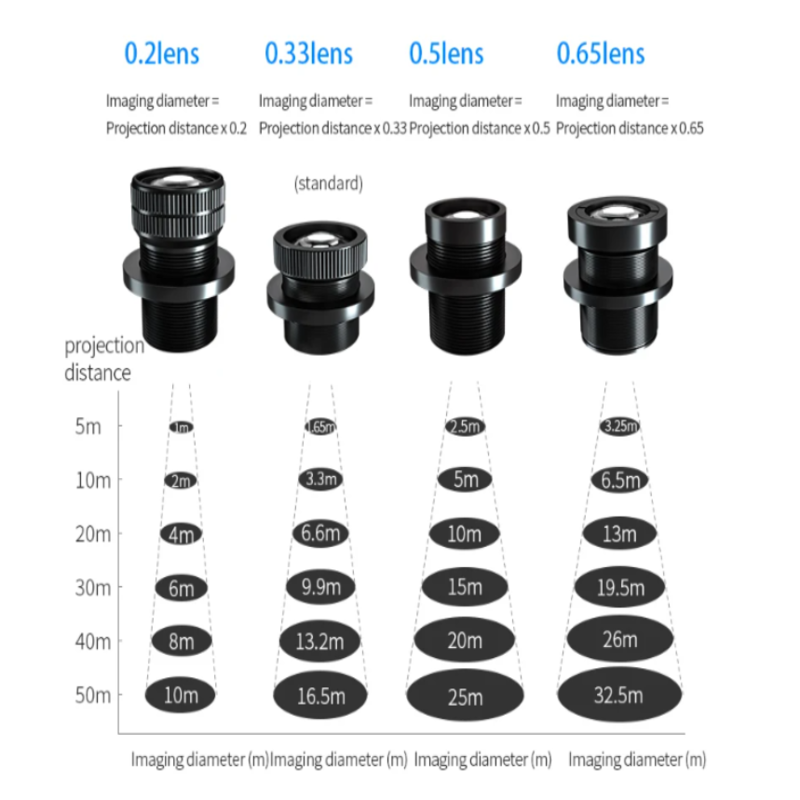
This chart illustrates four common lens options available for logo projectors, each with a different magnification factor:
Each lens follows a simple formula:
Imaging Diameter = Projection Distance × Lens Magnification Factor;
This means that for every meter of distance between your projector and the wall, the lens will multiply that distance by its factor to give you the final size of your projected logo.
0.2 Lens (Short-Focus / Smallest Image)
Magnification Factor: 0.2
Best For: Tight spaces where you need a small, sharp image
Example Sizes:
0.33 Lens (Standard / Most Versatile)
Magnification Factor: 0.33
Best For: General commercial use, standard storefronts, and restaurant walls
Example Sizes:
0.5 Lens (Medium-Focus / Medium-Large Image)
Magnification Factor: 0.5
Best For: Larger storefronts, workshop aisles, or outdoor patios
Example Sizes:
Why Choose It: Great for when you want a bold, visible logo without going to an extreme wide-angle lens.
0.65 Lens (Long-Focus / Largest Image)
Magnification Factor: 0.65
Best For: Large building exteriors, industrial walls, or wide open spaces
Example Sizes:
To pick the right lens for your needs, follow these simple steps:
For example:
4. Key Takeaway
The lens is the "eye" of your logo projector light. Choosing the wrong lens can lead to images that are too small (hard to see) or too large (blurry and distorted). By using this chart and the simple formula, you can ensure your logo projector delivers the clear, perfectly sized image your business needs to stand out.