
 +86 18126095160
 bella@noparde.com



2026-05-29 214
In retail marketing, industrial safety, and brand advertising, the LOGO light projector has become a popular solution because of its flexible customization and high visibility. However, many buyers still face three common questions before choosing a projector:Can my logo or design actually be projected clearly?How high should the projector be installed, and what image size will it create?Will the projection still be visible in my environment?This guide explains how to choose the right LOGO light projector from three important aspects: gobo customization, projection size calculation, and brightness matching.
Gobo Customization: From Simple Logos to Full-Color Images
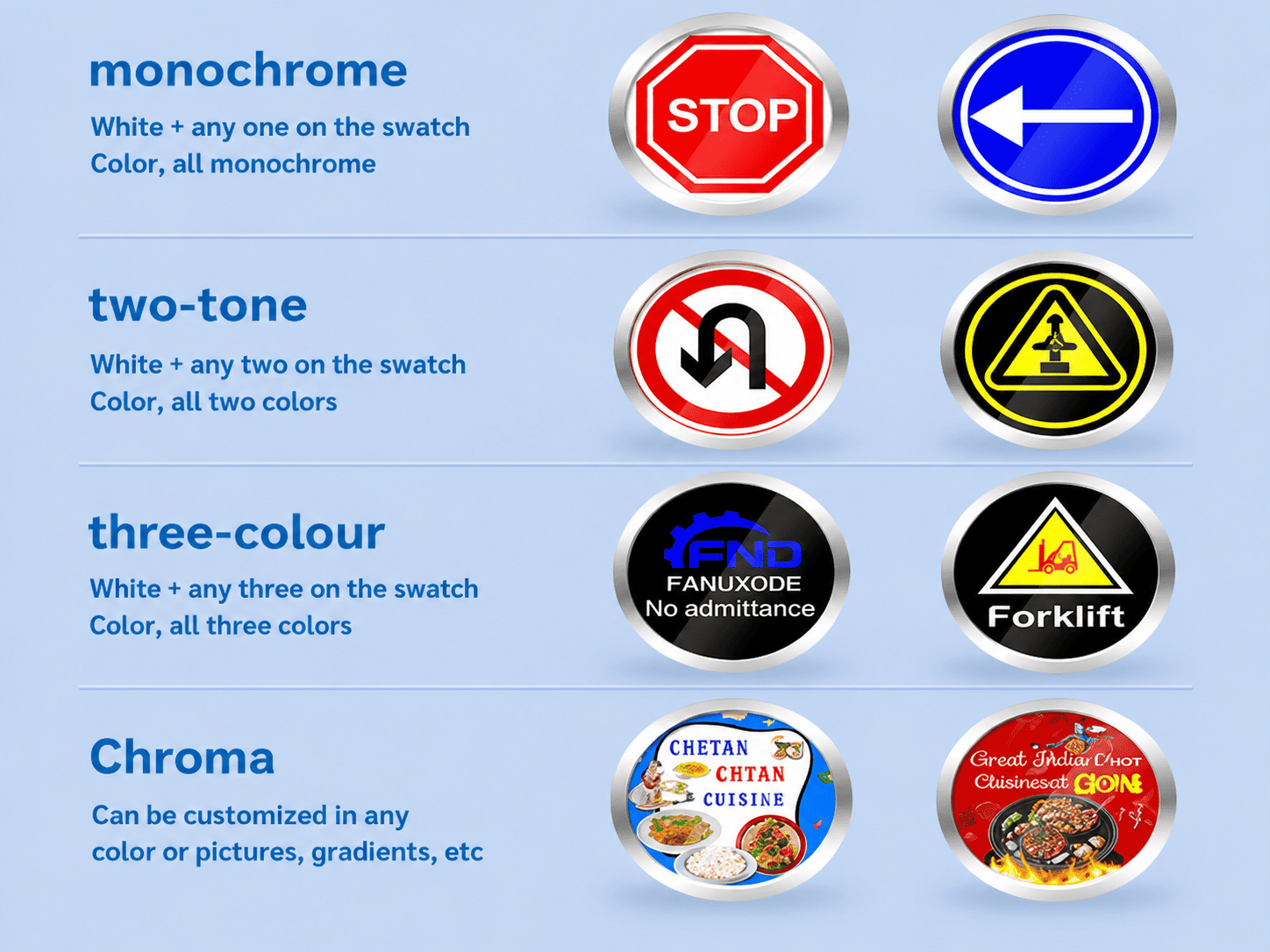
The first step when choosing a LOGO light projector is confirming whether the projector can support your design requirements. Professional projectors support different gobo color levels, allowing everything from simple safety signs to full-color advertising graphics.
Monochrome Gobo:Monochrome gobos use white plus one single color. This option creates strong contrast and is ideal for safety warnings, simple company logos, and directional signs. It is clear, eye-catching, and cost-effective.
Two-Tone Gobo:Two-tone gobos use white plus two colors. They provide better visual layers and are commonly used for warning symbols, two-color company logos, and simple retail advertising graphics.
Three-Color Gobo:Three-color gobos support white plus three colors, allowing more design detail. This option works well for industrial safety signs and logos with multiple visual elements.
Full-Color Chroma Gobo:Full-color gobos support unlimited colors, gradients, and image customization. They are widely used for restaurant advertising, wedding logos, tourism projects, and creative promotional displays. The projection can closely match the original artwork.
Whether you need a “No Entry” warning sign in a factory or a brand logo outside a shopping mall, a professional LOGO light projector can create a customized visual effect that fits your project perfectly.
Projection Size Calculation: Understanding Throw Ratio
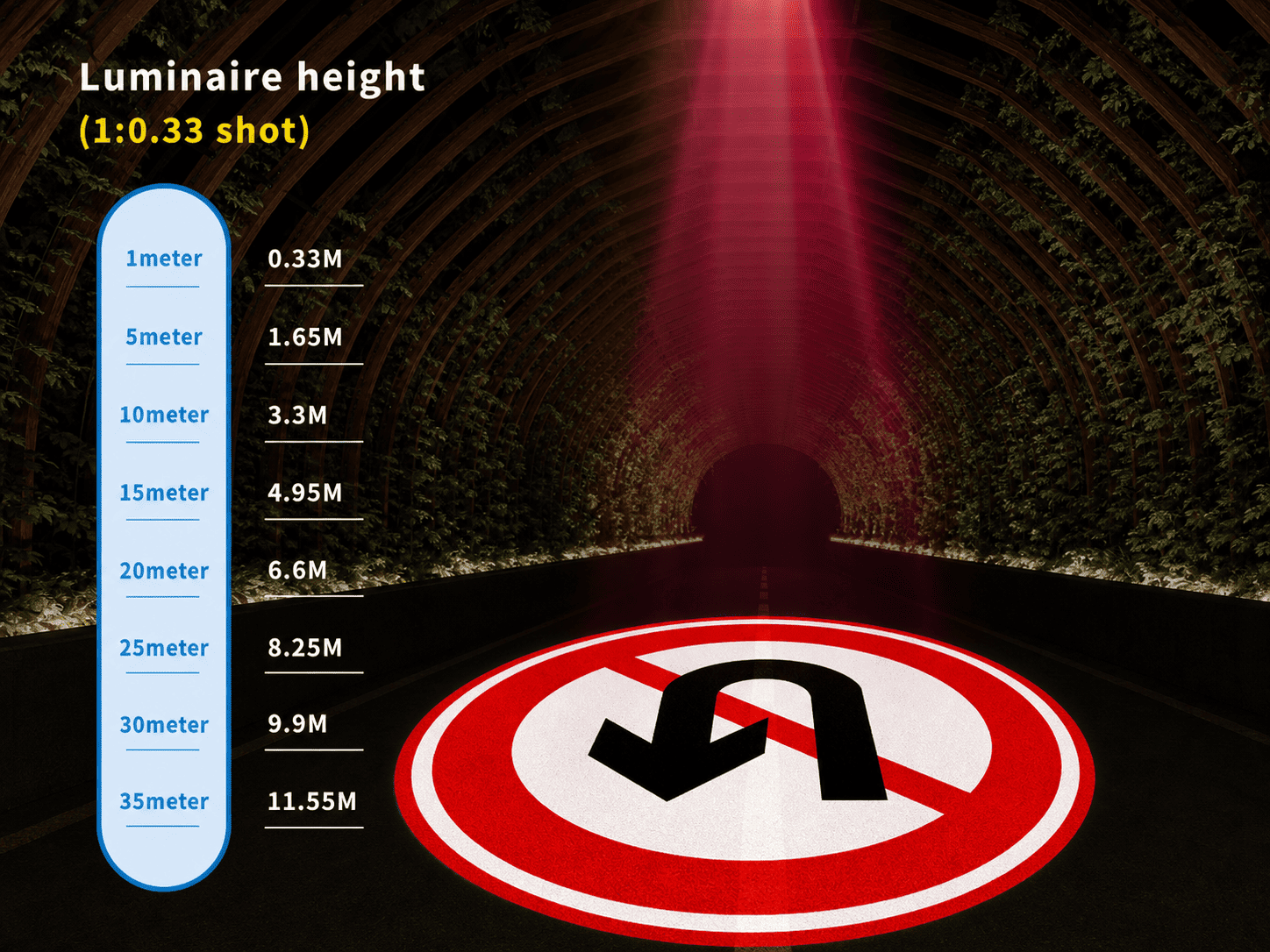
One of the most common questions buyers ask is:“How high should the projector be installed, and can it create the image size I want?”The answer depends on the throw ratio. For example, a common 1:0.33 throw ratio means the projection diameter equals about 0.33 meters for every 1 meter of installation distance.
|
Installation Height |
Projection Diameter |
Typical Application |
|
1 meter |
0.33 meter |
Counter logos and tabletop signs |
|
5 meters |
1.65 meters |
Small shop logos and indoor safety signs |
|
10 meters |
3.3 meters |
Factory safety markings and medium-size store logos |
|
20 meters |
6.6 meters |
Industrial roads and shopping mall entrances |
|
30 meters |
9.9 meters |
Large outdoor guide signs and landmark projections |
In simple terms, the higher the LOGO light projector is installed, the larger the projected image becomes.You can either:Start with the available installation height and calculate the image size,Or decide the target logo size first and then choose the correct lens and installation distance.If your installation distance is fixed but you need a much larger or smaller image, it is recommended to contact the supplier before purchase for custom lens matching. This helps avoid distortion or incorrect image size.
Brightness Matching: Choosing the Right Power for Your Environment
The visibility of a LOGO light projector depends heavily on ambient brightness. Different environments require different projector power levels to keep the image clear and visible.
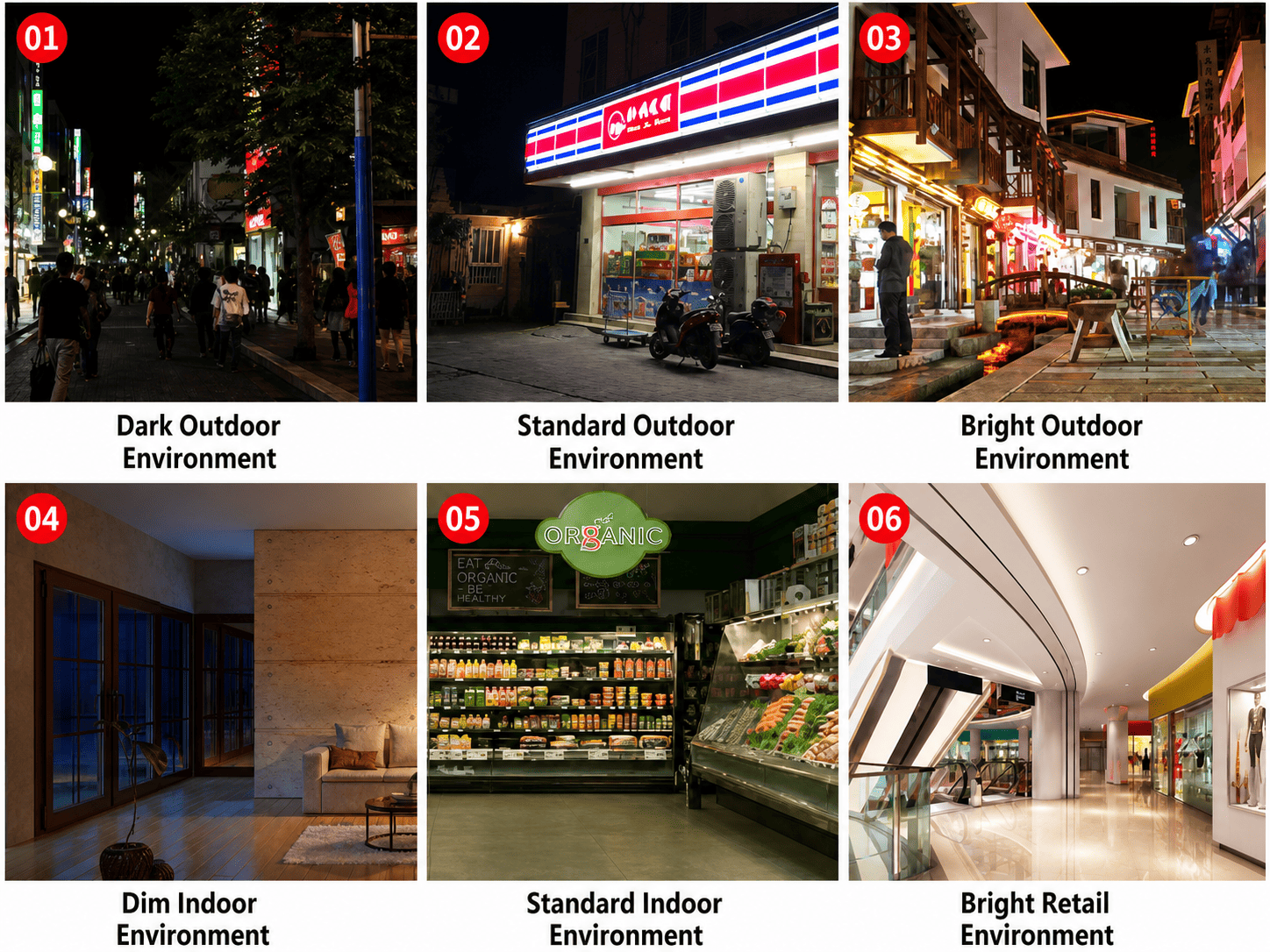
Low-Brightness Outdoor Areas (0–50 Lux):Dark alleys, remote factory areas, and low-light outdoor spaces usually have very little surrounding light. In these conditions, a 15W–20W projector is normally enough.The projected logo or warning sign remains sharp and easy to see even in dark environments.
Standard Outdoor Areas (50–500 Lux):Convenience store entrances, normal city streets, and common outdoor business areas usually have street lighting at night.A 25W–60W LOGO light projector works well in these spaces and can clearly display store logos, advertising graphics, and directional signs.
High-Brightness Outdoor Areas (500–3000+ Lux):Commercial streets, tourist areas, and busy public squares often contain strong decorative lighting and very bright surroundings.For these environments, an 80W or higher high-brightness projector is recommended. Red and yellow gobos are also easier to see under strong ambient light and help improve projection visibility.
Low-Brightness Indoor Areas (0–100 Lux):Underground parking garages, warehouses, and enclosed storage areas usually have weak indoor lighting.A small 15W–20W projector is enough for safety warnings, area markings, and warehouse guidance signs while maintaining soft and clean image quality.
Standard Indoor Commercial Areas (100–500 Lux):Community stores, office hallways, and regular indoor shops generally use medium-level lighting.A 25W–60W projector is the most common choice for indoor commercial use and can clearly display logos, notices, and navigation signs.
High-Brightness Retail Spaces (500–1500 Lux):Large supermarkets, shopping malls, and chain retail stores use strong indoor lighting throughout the day.To prevent faded or blurry images, these locations usually require an 80W or higher LOGO light projector with strong brightness output.
Simple Selection Guide for the Best Projection Result
Choosing the correct LOGO light projector becomes much easier when following these three steps:
Step 1: Confirm Your Graphic Requirements
Decide whether the projector will be used for:Brand promotion,Industrial safety,Advertising,Atmosphere lighting,Then choose the correct gobo type based on the design complexity.
Step 2: Calculate Projection Size
Provide:Installation height and Expected image size,The supplier can then calculate the correct lens and throw ratio to ensure accurate image proportions.
Step 3: Match the Environment Brightness
Choose the projector power according to:Indoor or outdoor use,Strong or weak ambient lighting,Projection distance,Additional features such as keystone correction can also help solve image distortion caused by angled installation.
As a professional LOGO light projector supplier, Noparde provides complete support including gobo customization, projection size calculation, and installation matching. Whether your project is for retail marketing, industrial safety, or brand advertising, the right projection solution can deliver clear, stable, and highly visible results.