
 +86 18126095160
 bella@noparde.com



2025-09-12 522
In busy workplaces—construction sites, warehouses, manufacturing plants, or even large retail distribution centers—faint on-site alerts aren’t just a minor inconvenience. They’re a safety risk. Imagine a construction worker struggling to spot a “Caution: Wet Floor” sign in dim lighting, or a warehouse staff member missing a “Stop: Forklift Crossing” notice because the print has faded. For site managers like Carlos, who oversees a mid-sized construction project in Austin, Texas, these risks were a constant source of stress. “We had signs everywhere—printed ones, taped ones, even neon ones—but half the time, people still didn’t see them,” he says. “Either the light was too low, the sign was blocked by equipment, or it just blended into the background. That’s when we tried the SafetyCast Virtual Sign Projector, and it changed how we keep our team safe.”
Faint, unnoticeable alerts lead to near-misses, injuries, and even compliance violations. According to the Occupational Safety and Health Administration (OSHA), over 20% of workplace accidents stem from poor visibility of safety signs. For businesses, this means lost time, increased insurance costs, and—worst of all—harm to employees. The SafetyCast Virtual Sign Projector solves this problem by turning blank surfaces into bright, attention-grabbing safety displays. Unlike static signs that fade, get damaged, or go unseen, this projector delivers crisp, high-visibility alerts that cut through clutter and low light. In this article, we’ll share real-world success stories, break down the projector’s game-changing specs and features, and explain how tools like safetycast virtual signs and virtual walkway projector functions transform on-site safety.
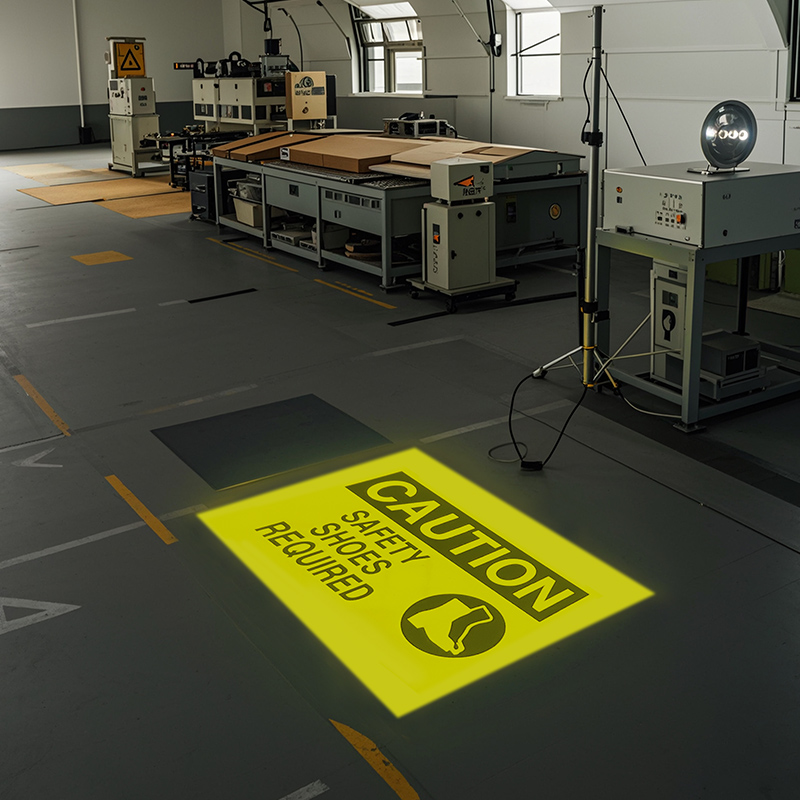
Across industries, site managers and safety teams are ditching ineffective static signs for the SafetyCast Virtual Sign Projector. These three stories show how it solved their most pressing visibility pain points—and kept teams protected.
Carlos’s construction site had a recurring issue: “Wet Floor” and “Fall Risk” signs were constantly being overlooked. “After a rainstorm, we’d tape down wet floor signs, but with workers carrying lumber and operating heavy machinery, half the time the signs got kicked aside or covered in dirt,” he explains. “We had two near-misses in one month—workers slipped because they didn’t see the faded signs. I knew we needed something that couldn’t be ignored.”
He invested in three SafetyCast Virtual Sign Projectors and positioned them near high-risk areas: the entrance to the concrete mixing zone, the stairs leading to the second floor, and the loading dock. Instead of static signs, the projectors beamed bright yellow “Caution: Wet Floor” text and a slipping icon directly onto the ground—impossible to miss, even with equipment moving around. “Within a week, I noticed a difference,” Carlos says. “Workers were slowing down and pointing out the projections to new hires. We haven’t had a single slip-and-fall since we installed them.”
The team also uses the projector’s virtual walkway projector feature to mark safe paths around active construction zones. “Before, we used tape to outline walkways, but it would peel up or get covered in debris,” Carlos adds. “Now, we project a bright white line on the ground—workers follow it without hesitation. It’s like having a permanent, unbreakable safety barrier.”
Mia manages a 50,000-square-foot warehouse in Atlanta, where forklifts and pedestrian workers share tight spaces. “Our biggest risk was forklift-pedestrian collisions,” she says. “We had ‘Stop: Forklift Crossing’ signs at every intersection, but they were small and often hidden behind pallets. We had three close calls in six months—something had to change.”
She tested the SafetyCast Virtual Sign Projector as a stop sign projector at the warehouse’s busiest intersection. The projector beams a large, red “STOP” sign onto the wall directly above the crosswalk—visible from 50 feet away, even with pallets stacked nearby. “Forklift operators now hit the brakes before they even reach the intersection,” Mia says. “Pedestrians see the blinking stop sign and wait—no more yelling to get someone’s attention.”
The warehouse also uses safetycast virtual signs to display real-time alerts, like “Low Stock: Aisle 7” or “Emergency Exit: Aisle 12.” “Static signs can’t be updated—if we move an emergency exit, we have to print a new sign and take down the old one,” Mia explains. “With the projector, we just change the virtual sign in the app. It’s saved us hours of work and kept our safety messaging accurate.”
Raj runs a manufacturing plant in Detroit that produces automotive parts. OSHA inspections were a constant worry—his team struggled to keep safety signs visible and up-to-date. “OSHA requires clear ‘No Smoking’ signs near fuel storage areas and ‘Hearing Protection Required’ signs in loud zones,” he says. “But our static signs would fade from the heat of the machinery, or workers would accidentally cover them with boxes. We got a warning during our last inspection—we needed to fix our signage fast.”
The SafetyCast Virtual Sign Projector became his solution. He installed projectors near fuel storage areas (beaming “No Smoking” with a fire icon) and in loud production zones (beaming “Hearing Protection Required” with an earplug icon). The projections are heat-resistant and can’t be covered—unlike paper or plastic signs. “During our next OSHA inspection, the inspector commented on how clear our safety signs were,” Raj says. “We passed with flying colors. The projector didn’t just keep our team safe—it kept us compliant.”
Raj also uses the projector’s dimming feature to adjust visibility for different shifts. “The day shift has bright overhead lights, so we crank up the projector’s brightness,” he explains. “The night shift uses dimmer lights, so we lower it—no more washed-out signs or glare. It’s flexible enough for any environment.”

Not all sign projectors are built for industrial or commercial use. The SafetyCast Virtual Sign Projector stands out because it’s designed to handle the harsh conditions of workplaces—dust, heat, low light, and heavy foot traffic. Here are the specs and features that make it a must-have for safety teams:
Faint alerts happen when signs can’t compete with their environment—dim lighting, bright overhead lights, or cluttered backgrounds. The SafetyCast Virtual Sign Projector has a brightness rating of 1,200 lumens—far brighter than standard consumer projectors (which typically max out at 500 lumens). This means projections stay visible in:
Carlos’s team tested this during a night shift: “We turned off half the site lights to simulate a power outage, and the ‘Fall Risk’ projection was still clear. That’s the difference between a projector that works and one that doesn’t.”
Whether you need a small “Stop” sign for a warehouse corner or a large virtual walkway for a construction site, the SafetyCast projector adapts. It offers:
Mia’s warehouse uses a 60-inch “STOP” sign projection (from 10 feet away) at intersections—big enough for forklift operators to see, but not so big that it blocks other signs. Raj’s manufacturing plant uses a 120-inch “Hearing Protection Required” projection (from 15 feet away) in the loudest zone—visible even from across the plant.
Workplaces like construction sites and manufacturing plants are hard on equipment. The SafetyCast Virtual Sign Projector is built to last, with:
Raj says durability was a key factor: “Our old signs would break or fade within months. The SafetyCast projector has been running 12 hours a day for a year—no issues. It’s worth every penny.”

The SafetyCast Virtual Sign Projector isn’t limited to static alerts—it’s a multi-tool for on-site safety. Key versatile features include:
Mia uses this versatility daily: “One morning, we had a spill in Aisle 5. I opened the app, selected the ‘Caution: Spill’ virtual sign, and pointed the projector at the area—done in 30 seconds. With static signs, I would have had to find a ladder, take down the old sign, and put up a new one. This saves us so much time.”
Safety teams don’t have time for complicated equipment. The SafetyCast projector is designed for hassle-free use:
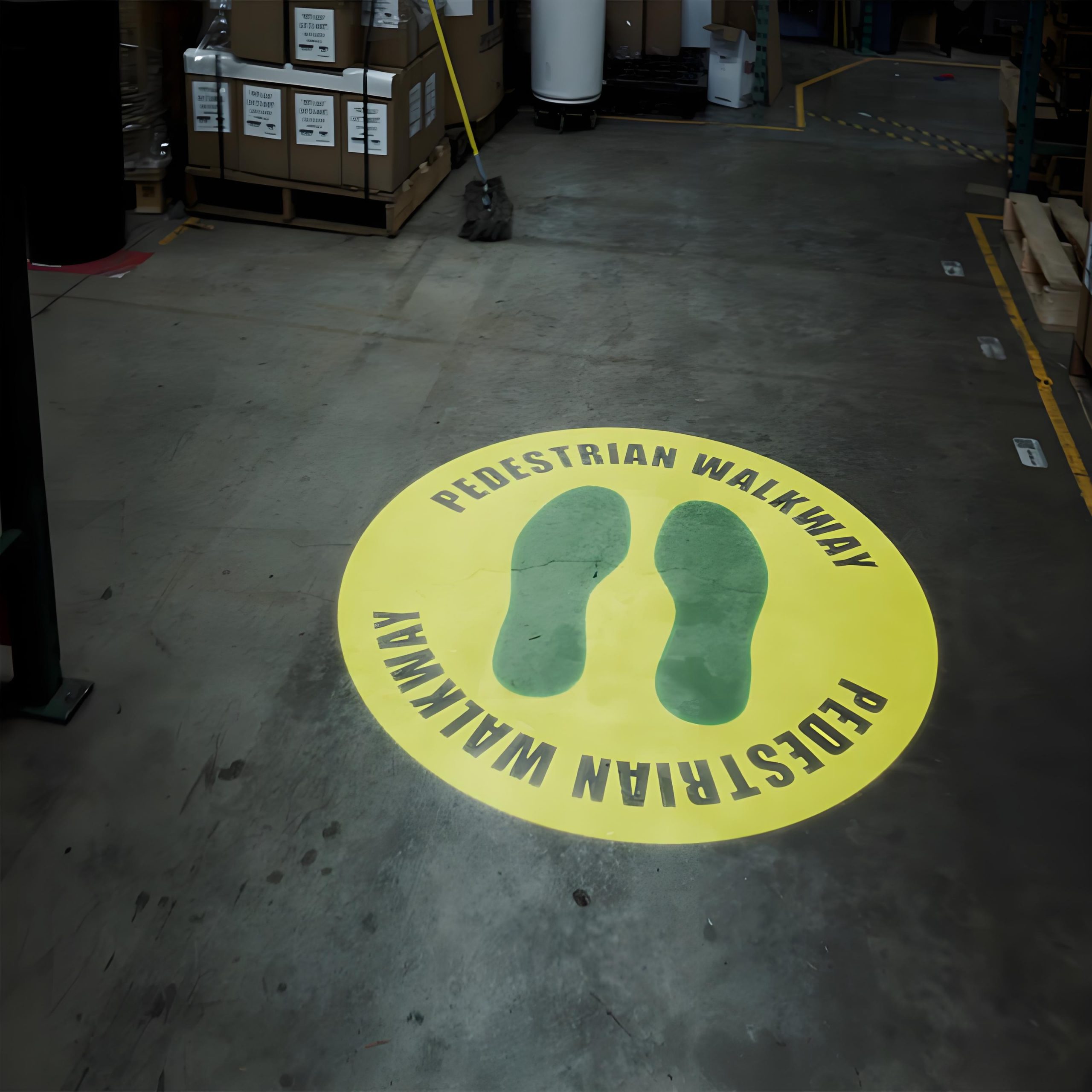
For businesses investing in on-site safety, the choice between static signs and the SafetyCast Virtual Sign Projector is clear. Here’s why the projector delivers better results—and a stronger return on investment:
1. Eliminates Faint Alerts Permanently
Static signs fade, tear, or get blocked—leading to repeated safety risks. The SafetyCast projector’s bright, durable projections ensure alerts are always visible, reducing accidents and near-misses. Lena says: “We used to have to check signs every day to make sure they weren’t faded or blocked. Now, we set the projector and forget it—knowing alerts are visible.”
2. Saves Time & Money
Static signs are a recurring cost: you have to buy new ones when they wear out, and spend hours updating them. The SafetyCast projector is a one-time purchase 300-600 a year on static signs. The SafetyCast projector paid for itself in 8 months.”
3. Improves Compliance
OSHA and local regulators require clear, visible safety signs. The SafetyCast projector’s preloaded OSHA-compliant signs and customizable options ensure you meet standards—avoiding fines (which can reach $14,502 per violation) and citations. Mike’s OSHA success is a perfect example: “The projector took the guesswork out of compliance. We know our signs are always up-to-date and visible.”
4. Boosts Worker Morale
When workers see that their employer invests in tools to keep them safe, morale improves. Lena noticed a difference: “Our team used to complain about ‘invisible signs. ’ Now, they comment on how easy it is to stay safe. It’s made the warehouse a more positive place to work.”

Faint on-site alerts are a preventable risk. Every time a worker misses a “Caution” sign or a “Stop” notice, you’re putting their well-being—and your business—at risk. The SafetyCast Virtual Sign Projector eliminates this risk by delivering bright, durable, and flexible safety alerts that can’t be ignored.
Whether you’re managing a construction site, a warehouse, or a manufacturing plant, this projector adapts to your needs: it’s a virtual walkway projector for safe paths, a stop sign projector for forklift crossings, and a source of safetycast virtual signs for OSHA compliance. It’s easy to set up, built to last, and saves you time and money in the long run.
Don’t let faint alerts compromise your team’s safety. Invest in the SafetyCast Virtual Sign Projector today—and turn invisible risks into visible protection.