
 +86 18126095160
 bella@noparde.com



2026-05-06 136
If you’re a restaurant owner looking to elevate your ambiance and brand visibility, a rotating GOBO projector might be exactly what you need. Recently, a restaurateur asked a series of practical questions about purchasing a rotating GOBO projector—specifically regarding custom logo lenses, pricing, and file formats. Below, we break down everything you need to know, using that real-world conversation as our guide.
What Is a Rotating GOBO Projector?
A rotating GOBO projector uses a metal or glass “GOBO” (Goes Before Optics) to project patterns, logos, or text onto walls, floors, or ceilings. The “rotating” feature adds dynamic motion, making it ideal for restaurants, bars, nightclubs, and retail stores. With a custom GOBO lens, you can project your restaurant’s logo or branding elements to create a memorable customer experience.
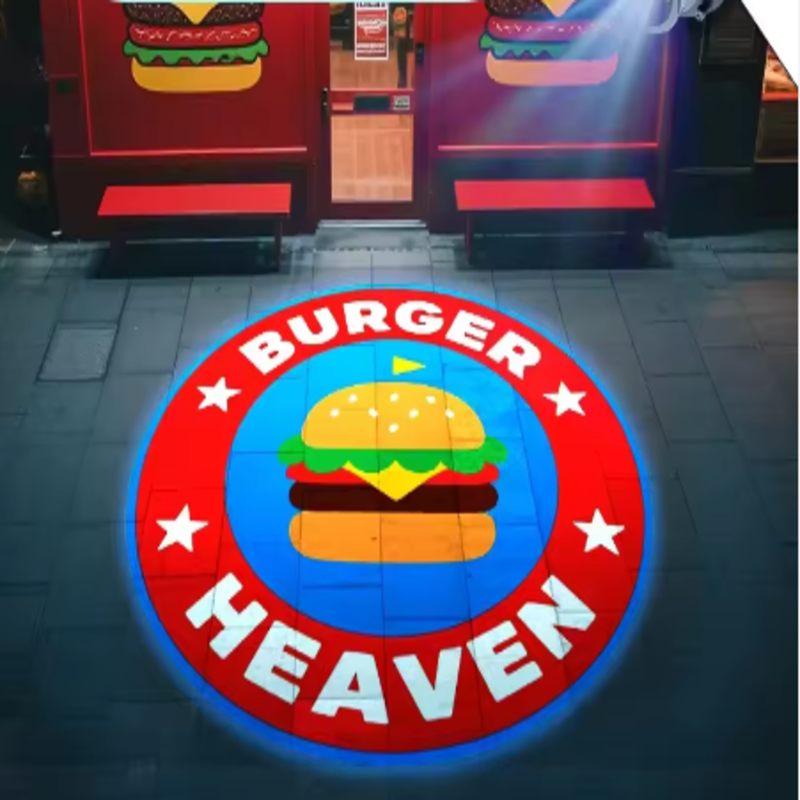
Key Questions About Rotating GOBO Projectors (Real Q&A)
Q1: Do you also provide the custom GOBO lens/slide with the projector?
A: Yes, most reputable suppliers offer custom logo lenses for projector lights. When you buy a rotating GOBO projector, always confirm whether custom GOBO manufacturing is included or offered as an add-on service. Many vendors provide both standard pattern GOBOs and fully customized logo lenses.
Q2: What is the cost for custom logo engraving?
A: The cost of custom logo engraving for your rotating GOBO projector’s lens depends on the color of your logo, with two simple pricing options:
Full-color logos: USD 35 per piece. Perfect if your restaurant’s logo features multiple colors or intricate designs that you want to showcase in vibrant detail.
One-color logos: USD 11 per piece. A budget-friendly option for simple, bold logos (e.g., monochrome text or a single-color graphic) that still make a strong visual impact.
Our pricing is transparent with no hidden fees—you’ll only pay for the custom lens itself, and we offer competitive rates to help small businesses like restaurants get the most value from their rotating GOBO projector investment.
Q3: What file format do you require for the logo (vector, PNG, etc.)?
A: To ensure the sharpest, highest-quality projection, we ask that you send your logo in a PDF file that is as clear as possible. PDF files are ideal for custom GOBO engraving because they preserve the integrity of your logo’s design, even when scaled up or adjusted for the projector lens. While other formats like PNG or vector files (EPS, SVG) can work in some cases, PDF files consistently deliver the best results, avoiding blurriness or distortion in the final projection. If you’re unsure about your file format, our team is happy to help you verify or convert your logo to the correct format.
Why Use a Rotating GOBO Projector in Your Restaurant?
Brand Reinforcement – Project your logo on entrance floors, feature walls, or tabletops.
Mood Lighting – Rotating patterns create a lively, upscale atmosphere.
Cost Effective Advertising – A one time custom lens investment delivers months of visual impact.
Versatility – Change GOBOs for holidays, events, or seasonal menus.
How to Order a Custom Rotating GOBO Projector?
Step 1: Choose a projector with rotation speed and brightness suitable for your ceiling height and ambient light.
Step 2: Prepare your logo as a clear PDF file.
Step 3: Confirm custom GOBO pricing (e.g., 11–35 per lens).
Step 4: Place your order and receive both the projector and your custom made rotating GOBO lens.